
An Interactive Shade Selector
Interaction design, Claude prompting, independent build
I created an interactive shade selector as an independent project, using the shade range of a small-business makeup brand I love.
Try it: pick a depth and undertone, compare two shades side by side, and see which direction a shade adjuster would move you.
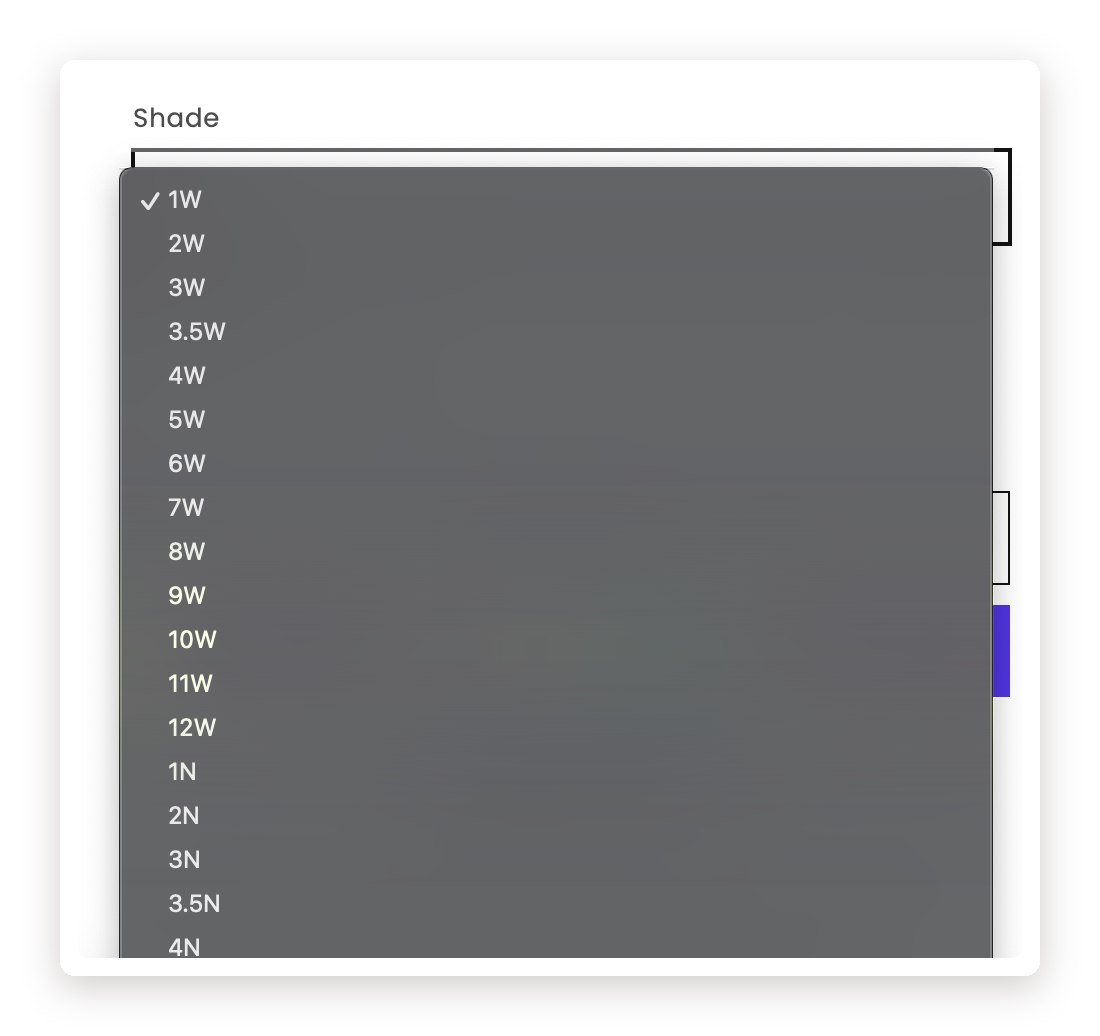
A shade range worth building on
Most complexion brands sort their shades by one undertone axis: cool, neutral, or warm. This brand treats olive as its own dimension, combined with cool, neutral, and warm. That nuance is what drew me to the product in the first place, as someone with an olive undertone. But the shade selector is a dropdown, and a flat list can't showcase a range with that much structure.
Selecting shades and their neighbors
A problem I kept circling was selection: how to show what's picked, let you add a second shade, and keep the interaction easy to understand.
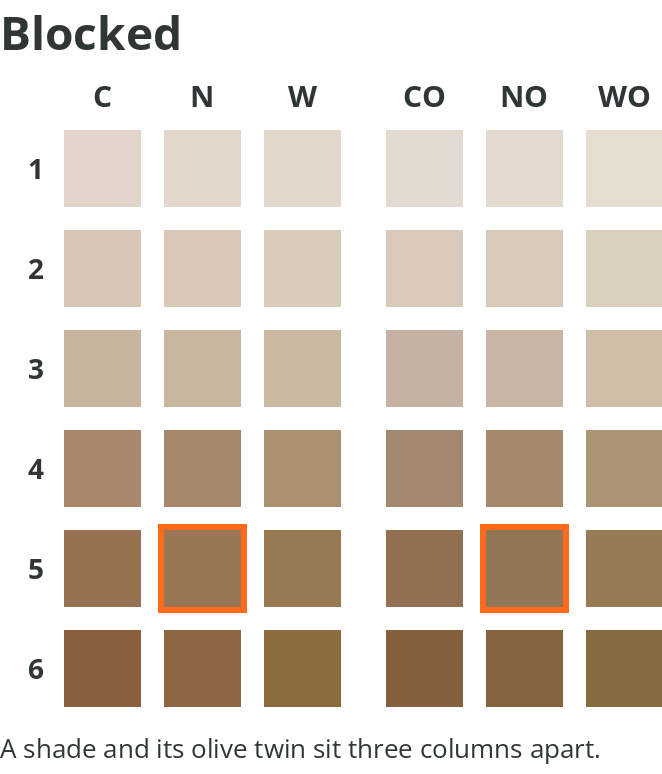
My first version let you tap any two shades and compare them. It worked, but it would happily blend shades far from each other, which wasn't realistic. So I limited comparison to shades that differ in exactly one way: one level of depth, one step of undertone, or olive versus not.
That constraint solved the interaction, too. Tap something a step away and it compares; tap something farther out and it becomes your new selection.
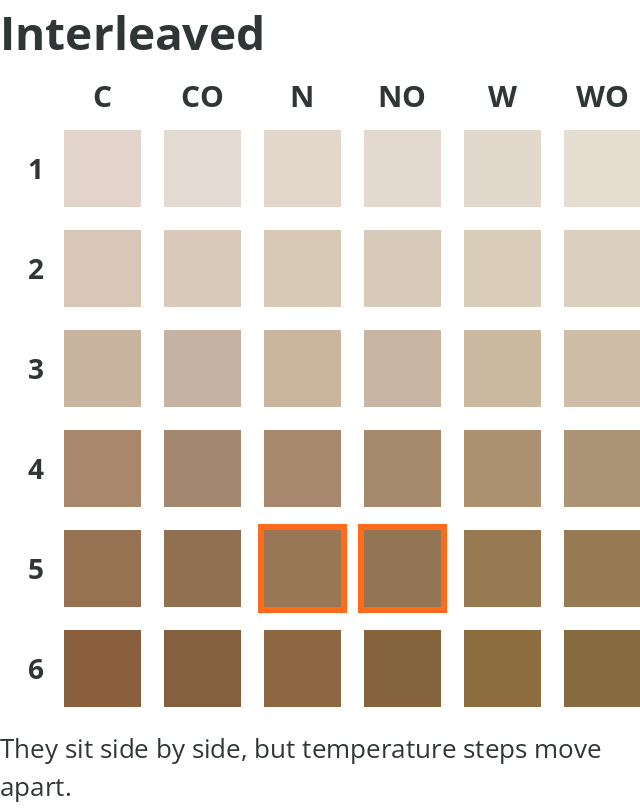
Nailing down the selection behavior also settled an issue I'd been having with how to order the columns: keep the olive shades in their own block, instead of interleaving each undertone with its olive counterpart.
Two ways to fine-tune
This brand goes further than most: if your skin falls between two shades, they encourage buying both and blending them. They also sell a set of adjusters — red, yellow, green, white, and black — for shifting a shade yourself.
Select two adjacent shades to see the blend between them. Picking an adjuster simulates the shades that might result from mixing it in.
Building it with Claude
I built this in conversation with Claude — not Claude Code, just chat — and got to something working much faster than I expected.
It also handled things I could have done by hand but wouldn't have: sampling hex values from a photo of the brand's swatch canvas, then measuring the distance between every depth level.
Beyond the original brand
Although I started out inspired by one brand, this project evolved into a framework. Any complexion range organized by depth and undertone can use this shade selector model, however many shades it carries. I chose a neutral visual design with a grid and pencil marks for the prototype to lean into the draft-like feel and stay product-agnostic.
Next project